Master Retro Style with Procreate and PS Halftone Brushes
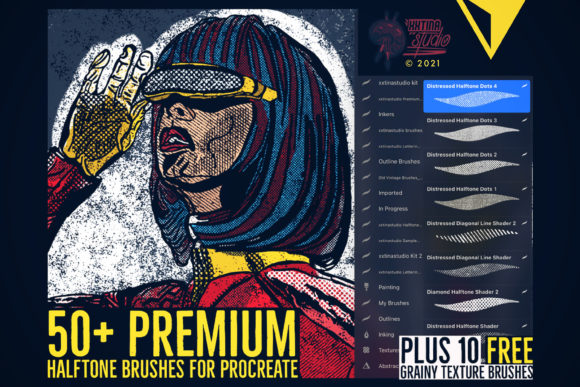
Adding texture to digital art can sometimes feel like a guessing game. You want that gritty, vintage look found in old comic books or retro posters, but standard digital tools often produce results that feel too clean or sterile. This is where the Procreate and PS Halftone Brushes Set changes the workflow for illustrators and designers. Instead of manually placing thousands of dots or searching for complex overlay textures, this collection provides a direct, high-quality solution right at your fingertips.
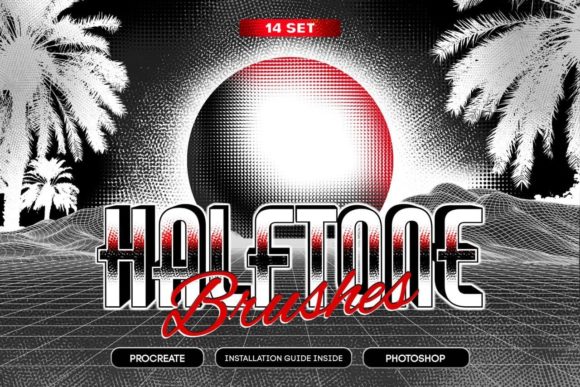
At its core, this toolset is designed to bridge the gap between modern digital convenience and classic print aesthetics. The set includes 14 distinct halftone brushes that were originally crafted in Adobe Illustrator and then meticulously converted into high-resolution brush formats. This origin story matters because it ensures the shapes are crisp and mathematically precise, avoiding the pixelation that often plagues lower-quality custom brushes. Whether you are working on an iPad with Procreate or at a desktop station with Photoshop, these brushes integrate seamlessly into your existing toolkit.
Why High Resolution Matters for Your Art
One of the most common frustrations when downloading free or cheap brush sets is discovering they fall apart when you try to use them on a large canvas. A blurry dot pattern can ruin an otherwise professional illustration. This specific set addresses that issue head-on. Each brush boasts a maximal size of 2000x2000 pixels.
What does this mean for your daily work? It means you can create high-resolution illustrations intended for print without worrying about quality loss. If you are a small business owner designing a flyer, a blogger creating featured images, or a professional illustrator working on a book cover, you need assets that scale. These brushes allow you to stamp large areas of texture or draw fine details with the same level of clarity. You aren't limited to small sketches; you have the freedom to work big.
Dynamic vs. Static: Choosing the Right Variation
A standout feature of this collection is the inclusion of two different drawing variations for the 14 brushes. This level of customization is rare in standard packs and offers significant creative control depending on the effect you want to achieve.
- 14HalftoneRotation (Dynamic): This variation is perfect for artists who want organic, unrepetitive results. As you draw, the brush dynamically rotates the halftone pattern. This prevents the "stamped" look where patterns obviously repeat, making it ideal for shading skin tones, creating atmospheric backgrounds, or adding noise to vector-style art.
- 14Halftone (Static): Sometimes, you need precision. The static version draws the pattern without randomness. This is essential for geometric designs, technical illustrations, or when you need the dots to align perfectly with a grid or other elements in your composition.
Having both options in one archive means you don't need to buy separate packs for different styles. You can switch between fluid, hand-drawn textures and rigid, structured patterns instantly.
Practical Applications for Creators and Professionals
The versatility of the Procreate and PS Halftone Brushes Set extends far beyond simple experimentation. Here is how different users can leverage these tools in real-world scenarios:
Comic Illustrators and Graphic Novelists
Halftones are the backbone of traditional comic printing. Using these brushes, you can replicate that authentic mid-century comic book feel. Use the dynamic variation for shading characters to give them depth without heavy black ink, or use the static version for background elements like skies or cityscapes.
Marketers and Social Media Managers
In a feed full of glossy, perfect photos, retro graphics stand out. You can quickly texture typography or add a vintage grain to product mockups. This helps brands evoke nostalgia or establish a bold, artistic identity that cuts through the noise of standard corporate design.
Educators and Hobbyists
For those teaching digital art or learning the ropes, these brushes serve as an excellent educational tool. They demonstrate how light and shadow can be represented through dot density rather than just color gradients. It's a fun way for beginners to understand the principles of value and contrast.
Getting Started: Installation and Compatibility
Technical barriers often stop people from trying new digital tools, but this set is designed with user-friendliness in mind. The archive is neatly organized to ensure you find exactly what you need regardless of your preferred software.
Inside the download, you will find:
- A Procreate Folder containing the 14 brushes split into two
.brushsetfiles (one for dynamic, one for static). - A Photoshop Folder containing the equivalent brushes in two
.abrfiles. - Detailed PDF installation guides for both Procreate and Photoshop.
To get started, you simply need the Procreate app on your iPad or the Photoshop app on your PC. The included PDFs walk you through the import process step-by-step, ensuring that even if you are new to installing custom assets, you'll be up and running in minutes. There is no need for complex scripting or third-party managers.
Things to Consider Before You Begin
While these brushes are powerful, getting the best results requires a bit of know-how. First, consider your canvas resolution. Even though the brushes are high-res, working on a tiny canvas will limit the detail you can see. Ensure your document settings match your intended output, especially if you plan to print your work.
Secondly, think about layer blending modes. Halftone brushes often look best when used on a separate layer set to "Multiply" or "Overlay." This allows the texture to interact naturally with the colors beneath it rather than sitting opaquely on top. Experimenting with opacity can also yield subtle, sophisticated effects rather than bold, overwhelming patterns.
Finally, remember that while the dynamic rotation adds realism, it can sometimes create unexpected patterns if you move your stylus too slowly. Practice a few strokes on a scrap layer to get a feel for the speed and pressure sensitivity that works best for your specific drawing style.
Ultimately, the Procreate and PS Halftone Brushes Set is more than just a download; it is a shortcut to a specific aesthetic that usually takes hours to create manually. By providing high-resolution, dual-variation tools with clear instructions, it empowers creators of all levels to add professional-grade retro flair to their projects instantly.