Master Digital Painting with Procreate Gouache Brushes
There is a distinct satisfaction in the way opaque paint sits on a surface, covering what lies beneath with rich, matte color. For decades, traditional artists have relied on gouache for its unique ability to bridge the gap between watercolor fluidity and acrylic opacity. Now, that same tactile experience has been successfully translated into the digital realm through specialized tools like the Procreate Brush Pack Gouache Brushes. Whether you are a seasoned illustrator, a marketing professional designing social media assets, or a hobbyist looking to elevate your digital journaling, understanding how to leverage these specific brushes can transform your workflow from sterile and pixel-perfect to organic and expressive.
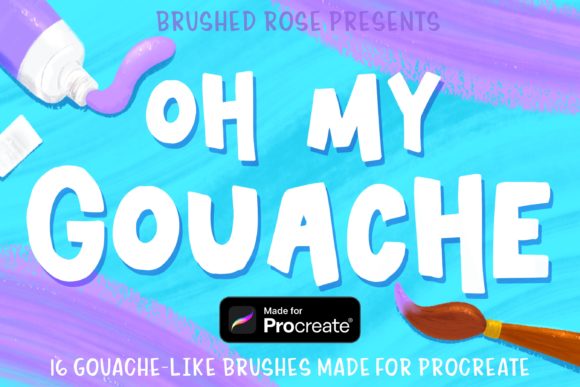
The Oh my Gouache brush pack, delivered conveniently as a ZIP file, offers more than just a collection of textures; it provides a simulation of physical media behavior within the iPad environment. Unlike standard digital airbrushes that often feel too smooth or synthetic, this set replicates the grain, edge variation, and layering capabilities of real-world gouache. This distinction is crucial for creators who need their digital work to carry the warmth and imperfection of hand-crafted art, making it particularly valuable in an era where audiences crave authenticity in visual communication.
Why Choose Digital Gouache Over Standard Tools?
When working in Procreate, the default brush library is robust, yet it sometimes lacks the specific character required for certain artistic styles. The Procreate Brush Pack Gouache Brushes fills this gap by introducing a level of complexity that mimics the physical properties of pigment and water. Key characteristics of this set include varied opacity levels that allow for both translucent washes and solid, flat coverage. This duality enables artists to build depth in their illustrations without losing the clean, graphic quality that defines the gouache aesthetic.
One of the most notable strengths of this brush set is its texture integration. Real gouache interacts with paper tooth, creating subtle breaks in color that add life to a stroke. These digital brushes replicate that interaction, ensuring that your lines do not look like vector paths but rather like genuine marks made by a bristle brush. For professionals, this means less time spent manually adding noise or texture overlays in post-production. The brushes do the heavy lifting, allowing you to focus on composition and color theory rather than technical workaround.
Practical Applications Across Industries
The versatility of the Oh my Gouache set extends far beyond fine art illustration. In the commercial sector, marketers and brand designers frequently utilize this style to create approachable, human-centric visuals. A tech startup might use gouache-style icons to soften their corporate identity, making their brand feel more accessible and friendly. Similarly, educators and publishers find these brushes invaluable for creating engaging instructional materials. The soft edges and warm tones help reduce cognitive load, making complex information feel less intimidating to students and readers alike.
Freelancers and content creators also benefit significantly from the efficiency these tools provide. When producing daily content for blogs or social media platforms, speed is essential. With a high-quality Procreate Brush Pack Gouache Brushes set, you can achieve a polished, hand-painted look in a fraction of the time it would take to scan and edit traditional media. This efficiency does not come at the cost of quality; instead, it enhances productivity by streamlining the creative process from sketch to final export.
- Editorial Illustration: Create evocative imagery for articles that requires a narrative, storybook feel.
- Product Packaging: Design labels and boxes that stand out on shelves with a premium, artisanal aesthetic.
- Storyboarding: Quickly block out scenes with clear value structures using the opaque nature of the brushes.
- Surface Pattern Design: Develop seamless patterns for textiles and wallpapers with organic, non-repetitive textures.
Seamless Installation and Setup
Getting started with your new tools should be frictionless. Upon purchasing or downloading the Procreate Brush Pack Gouache Brushes, you will receive a ZIP file containing the Oh my Gouache brush set. The installation process on iPad is straightforward, though it requires a few specific steps to ensure the files are recognized correctly by the app.
First, locate the downloaded ZIP file in your Files app. Since Procreate cannot directly open ZIP archives, you must use a free utility app like FileExplorer, File Manager, or iZip to unzip the contents. Once extracted, you should see the actual brush set file, typically ending in .brushset. Tap on this file and select "Open in Procreate" from the share sheet. If this option appears immediately, the brushes will automatically import into your library, ready for use.
In some cases, depending on your iPadOS version or file management setup, the "Open in Procreate" option might not appear directly. If this happens, do not worry. Simply open Procreate and create a new canvas. Tap the paintbrush icon to open the Brushes panel. At the top of the brush list, you will see a button with a plus sign or an import label. Tap this button to initiate the import process. You will then be prompted to locate the folder containing your downloaded files. Navigate to the unzipped folder, tap on the brush set, and it will load instantly into your active library.
Maximizing Your Creative Output
Once installed, the real work begins. To get the most out of the Procreate Brush Pack Gouache Brushes, experiment with layer blending modes. While gouache is naturally opaque, combining these brushes with "Multiply" or "Overlay" layers can simulate glazing techniques used by traditional masters. Additionally, pay attention to the pressure sensitivity settings. Most high-quality brush packs are calibrated to respond dynamically to Apple Pencil pressure, allowing for thin, delicate lines with a light touch and broad, sweeping strokes when pressing harder.
For business owners and entrepreneurs, consistency is key. Establish a visual language using these brushes and stick to it across your deliverables. Whether you are designing a pitch deck, creating Instagram stories, or illustrating a whitepaper, the consistent use of the Oh my Gouache texture will reinforce your brand identity. It signals attention to detail and a commitment to quality, distinguishing your work from the sea of generic stock imagery and template-based designs.
Ultimately, the value of this toolset lies in its ability to humanize digital creation. In a world increasingly dominated by AI-generated perfection and rigid vector graphics, the imperfect, textured strokes of digital gouache offer a refreshing return to craftsmanship. By integrating the Procreate Brush Pack Gouache Brushes into your daily routine, you equip yourself with the means to produce work that resonates emotionally with your audience, proving that technology and tradition can coexist beautifully on the canvas of an iPad.