Master Atmospheric Effects with Professional Smoke Photoshop Brushes
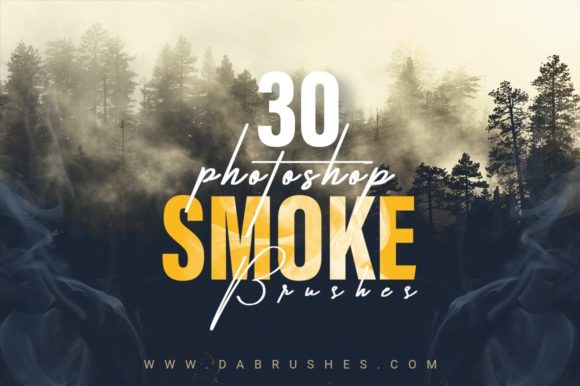
Tired of burning stuff but still haven't got that perfect smoky shot? Then STOP wasting your time. For photographers, digital artists, and graphic designers, capturing authentic atmospheric elements like smoke, fog, and mist can be an incredibly frustrating endeavor. Traditionally, achieving these effects required complex lighting setups, expensive high-speed cameras, or the literal burning of materials, which poses safety risks and contributes to unnecessary pollution. We have created a set of 30 realistic Smoke Photoshop Brushes to fix your problem for you. By shifting from physical capture to digital creation, you will not only be reducing pollution but also be adding impressive smoke effects with the ease of a few clicks.
The modern creative landscape demands efficiency without compromising on quality. Whether you are working on a high-end fashion editorial, a moody album cover, or a product advertisement, the presence of smoke can add depth, mystery, and a professional polish to your work. However, the barrier to entry has often been too high for many creators. This set will dissolve your need of buying a high-quality camera which was destined to empty your bank account. Instead of investing thousands in specialized lenses and studio equipment, you can achieve superior results using tools you likely already possess. These brushes are perfect for graphic designs, web designs, graphic printing, digital paintings, apparel, and home decor, packaging multiple varieties of products, or adding a flair to your brand. The only limit is your imagination.
Why Digital Smoke Solutions Outperform Traditional Methods
The primary challenge with traditional smoke photography is control. Real smoke is volatile; it dissipates quickly, reacts unpredictably to air currents, and is notoriously difficult to light correctly. You might spend hours setting up a shot only to find the smoke looks thin, gray, or muddy in the final image. Furthermore, the environmental impact of generating large amounts of smoke for photo shoots cannot be ignored.
Smoke Photoshop Brushes offer a sustainable and precise alternative. The set includes a variety of smokes to provide the different looks you want for your projects, ranging from thick, billowing clouds to wispy, ethereal trails. Because these are digital assets, you have complete command over their placement, density, and movement. You can iterate instantly, trying dozens of variations in the time it would take to light a single match. This level of control ensures that the final composition aligns perfectly with your artistic vision, eliminating the guesswork associated with physical props.
Key Features That Elevate Your Design Workflow
Not all digital brushes are created equal. Low-resolution assets often look pixelated when scaled up or fail to blend naturally with the background, ruining the illusion of realism. Our collection addresses these common pain points with specific features designed for professional utility:
- High-Resolution Detail: The brushes are high resolution and add noticeable details to the design. This ensures that even when printed on large formats like banners or apparel, the texture of the smoke remains crisp and authentic.
- Versatile Application Modes: These brushes can also be used as overlays. By changing the blending mode in Photoshop (such as Screen, Overlay, or Soft Light), you can seamlessly integrate the smoke into existing photographs, making it appear as though it was captured in-camera.
- Digital Painting Capability: You can also use these brushes to paint digitally. This is particularly useful for concept artists and illustrators who need to build atmospheric environments from scratch rather than just enhancing photos.
- Color Customization: One of the most powerful aspects of this toolset is flexibility. You can play with colors while using this set to match your brand or project without losing quality and create magical effects. Need neon purple smoke for a cyberpunk poster or warm orange hues for a sunset scene? A simple hue adjustment allows for infinite variation.
- Accessibility: You only need a very basic knowledge of Photoshop to use these brushes. There is no steep learning curve involving complex masking or channel mixing; simply select the brush, adjust the size, and click.
Practical Applications Across Industries
The utility of Smoke Photoshop Brushes extends far beyond simple photo manipulation. Different industries leverage these tools to solve specific visual communication problems.
In product photography and packaging, smoke is often used to convey heat, freshness, or luxury. Imagine a coffee advertisement where steam rises elegantly from a fresh cup, or a spicy food product surrounded by a hint of fiery mist. Using physical smoke in a studio can contaminate the product or leave residue. Digital brushes allow marketers to create these appetizing visuals cleanly and consistently across hundreds of product images.
For web design and digital marketing, atmosphere drives engagement. A landing page for a music festival or a horror movie release can utilize smoky textures to set an immediate emotional tone. Because these brushes are optimized for digital use, they can be exported as transparent PNGs or used directly in layered PSD files, ensuring fast load times and sharp visuals on all devices.
Fashion and apparel designers also benefit significantly. When creating mockups for t-shirts or hoodies, adding a smoky background can make the garment pop and give the presentation a high-end, editorial feel. Similarly, in home decor visualization, adding a subtle haze to a room render can simulate morning light filtering through a window, making the space feel lived-in and inviting.
Tailoring the Tool to Your Skill Level
One of the greatest strengths of this resource is its adaptability to users with varying levels of expertise. A beginner graphic designer might use the brushes strictly as "stamps," clicking once to place a pre-formed cloud of smoke onto a background. This approach yields instant results and is perfect for social media graphics or quick mockups.
Conversely, an advanced digital painter might use the same set to construct an entire environment. By lowering the flow and opacity settings, they can build up layers of smoke gradually, painting in light and shadow to create a three-dimensional volumetric effect. The ability to rotate the brush tip and adjust spacing allows for the creation of custom swirls and patterns that mimic fluid dynamics. Whether you are compositing a surreal dreamscape or retouching a portrait to add a moody ambiance, the workflow scales with your ambition.
Making the Switch to Digital Efficiency
The transition from physical effects to digital brushes is more than just a convenience; it is a strategic improvement in workflow. It removes the variables of weather, wind, and safety hazards from the creative process. It allows for non-destructive editing, meaning you can remove or alter the smoke at any stage of the project without having to reshoot the entire scene.
Furthermore, the cost-effectiveness cannot be overstated. As mentioned, this set eliminates the need for expensive hardware destined to empty your bank account. The return on investment is immediate; one successful project using these brushes can pay for the toolset many times over. By integrating these Smoke Photoshop Brushes into your library, you equip yourself with a versatile solution that enhances creativity while streamlining production.
Ultimately, the goal of any creative tool is to remove barriers between your idea and the final output. Smoke should enhance your story, not complicate your process. With a diverse set of 30 high-quality options, you have everything needed to craft compelling visuals that captivate your audience. Stop struggling with unpredictable elements and start creating with precision. Your next masterpiece is just a few clicks away.