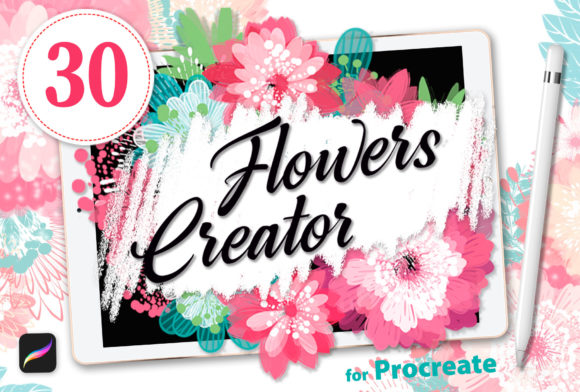
Elevating Digital Botany with Brushes Flowers Creator for Procreate
Digital illustration on the iPad Pro has evolved from a novelty into a professional standard, yet the pressure to produce high-quality work quickly remains a constant challenge for creators. Whether you are a graphic designer mocking up a packaging concept, a social media manager crafting daily stories, or a hobbyist looking to refine your digital garden, the time spent rendering intricate details can be significant. This is where specialized asset packs like Brushes Flowers Creator enter the workflow conversation. Rather than serving as a shortcut that compromises artistic integrity, this collection functions as a versatile and diverse set of tools designed to streamline the creation of flowers and decorative elements specifically for the Apple Pencil and Procreate ecosystem.
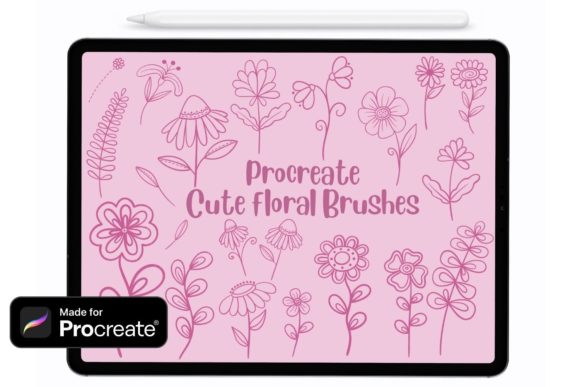
The core value proposition of Brushes Flowers Creator lies in its balance between automation and artistic control. The set includes 32 distinct painting brushes and 6 stamp brushes, offering a comprehensive toolkit for building floral compositions. For professionals, the immediate benefit is obvious: saving time. However, a deeper evaluation reveals that the true strength of these tools is their ability to maintain consistency across a project while allowing for enough variation to keep the artwork feeling organic and hand-crafted.
Operational Efficiency and Workflow Integration
In a professional setting, efficiency is not just about speed; it is about reducing friction in the creative process. Installing Brushes Flowers Creator is a straightforward process that integrates immediately into the Procreate brush library. Once installed, the user can transition from a blank canvas to a textured background or a detailed floral border in seconds. This immediacy is particularly valuable for entrepreneurs and small business owners who often wear multiple hats and cannot afford to spend hours rendering a single botanical element for a marketing campaign.
The 32 painting brushes are engineered to mimic natural media behaviors while leveraging the pressure sensitivity of the Apple Pencil. Unlike generic shape tools that produce sterile, repetitive results, these brushes respond to tilt, pressure, and speed. This dynamic response allows the artist to build up layers of petals, leaves, and stems with a sense of depth and texture that would otherwise require complex layer masking and blending modes. The result is a workflow that feels fluid rather than mechanical, enabling the creator to focus on composition and color theory rather than the minutiae of brush stroke execution.
The Distinction Between Painting and Stamping Tools
A critical aspect of evaluating any digital brush set is understanding the specific utility of its components. Brushes Flowers Creator distinguishes itself by separating its assets into two functional categories: painting brushes and stamp brushes. This separation demonstrates a thoughtful approach to user needs.
- The 32 Painting Brushes: These are designed for active creation. They allow users to draw individual stems, scatter foliage, and paint petal structures with variable opacity and flow. They are ideal for users who want to construct unique floral arrangements from scratch, ensuring that no two projects look identical.
- The 6 Stamp Brushes: These serve as accelerators for repetitive elements. Perfect for adding consistent accents, filling negative space, or creating patterned backgrounds, these stamps provide instant detail without sacrificing the overall aesthetic. They are particularly useful for marketers and bloggers who need to produce content at a high volume while maintaining a cohesive brand visual identity.
This dual approach ensures flexibility. A freelancer working on a wedding invitation suite might rely heavily on the painting brushes to create a custom, one-of-a-kind centerpiece, while using the stamps to add subtle texture to the envelope liner. Conversely, an educator creating visual aids for a biology lesson might use the stamps to quickly populate a diagram with consistent examples of different flower types.
Quality, Consistency, and Artistic Control
One of the common pitfalls of pre-made digital assets is the "cookie-cutter" effect, where the usage of the tool becomes obvious and detracts from the professionalism of the final piece. Brushes Flowers Creator mitigates this risk through varied stroke dynamics and texture integration. The brushes are not merely static images dragged across a canvas; they possess internal randomness and grain that mimic the imperfections of real paper and pigment.
For serious hobbyists and publishers, this level of detail is crucial. It allows for the creation of work that holds up under scrutiny, whether viewed on a high-resolution Retina display or printed on physical merchandise. The reliability of the brushes means that the output is predictable; users can trust that a light touch will yield a delicate line, while firm pressure will produce a bold, saturated stroke. This consistency builds confidence, allowing the artist to experiment with complex compositions without fearing that the tools will behave erratically.
Furthermore, the presentation of the brushes within the Procreate interface is clean and intuitive. Each brush is named logically, and the preview icons accurately reflect the stroke output. This attention to presentation reduces the cognitive load on the user, eliminating the need to test every brush repeatedly to find the right one for a specific task.
Real-World Applications Across Industries
The versatility of Brushes Flowers Creator makes it applicable across a wide spectrum of industries. Its utility extends far beyond simple illustration:
- Branding and Packaging: Small business owners selling artisanal soaps, candles, or gourmet foods can use these brushes to design elegant, botanical-themed labels that convey a sense of natural quality and craftsmanship.
- Social Media and Content Creation: Influencers and marketers can rapidly generate eye-catching graphics for Instagram stories or Pinterest pins. The ability to quickly assemble floral frames or decorative dividers helps maintain a polished feed without requiring extensive design training.
- Educational Materials: Educators and textbook publishers can utilize the stamps and painting tools to create clear, engaging diagrams for botany or art history lessons, ensuring that visual aids are both accurate and aesthetically pleasing.
- Wedding and Event Stationery: Freelance designers can leverage the set to produce custom invitations, menus, and place cards. The mix of detailed painting brushes and quick stamps allows for the efficient production of large suites while retaining a bespoke feel.
Limitations and Practical Considerations
While Brushes Flowers Creator offers significant advantages, it is important to approach it with realistic expectations. These tools are enhancers, not replacements for fundamental design skills. The effectiveness of the final output still relies heavily on the user's understanding of color harmony, composition, and lighting. A poorly composed arrangement will remain unappealing regardless of the quality of the brushes used.
Additionally, because these tools are optimized for Procreate on the iPad Pro with the Apple Pencil, they are not natively compatible with desktop-based software like Adobe Photoshop or Illustrator without workarounds. Users whose primary workflow exists on a desktop environment may find the utility limited unless they specifically incorporate the iPad into their process. Furthermore, while the 32 painting brushes offer variety, users seeking hyper-realistic botanical accuracy for scientific illustration may still need to supplement these tools with reference photos and manual detailing techniques, as the stylized nature of the brushes leans towards an artistic rather than photorealistic interpretation.
Long-Term Value and Final Verdict
When assessing the long-term value of digital assets, durability and adaptability are key metrics. Brushes Flowers Creator proves its worth by remaining relevant across various project types and trends. Floral motifs are a perennial staple in design, ensuring that these tools will not become obsolete quickly. The investment in such a set pays dividends over time through the cumulative hours saved on repetitive tasks and the enhanced quality of deliverables.
For the modern creator, the decision to adopt new tools often comes down to whether they solve a specific problem or unlock a new capability. Brushes Flowers Creator successfully addresses the need for speed without compromising on aesthetic quality. It empowers users to translate their vision onto the screen with greater fluidity, making it a practical addition to the arsenal of anyone serious about digital art on the iPad. By bridging the gap between manual effort and digital efficiency, it allows creators to focus less on the mechanics of drawing and more on the story their art tells.