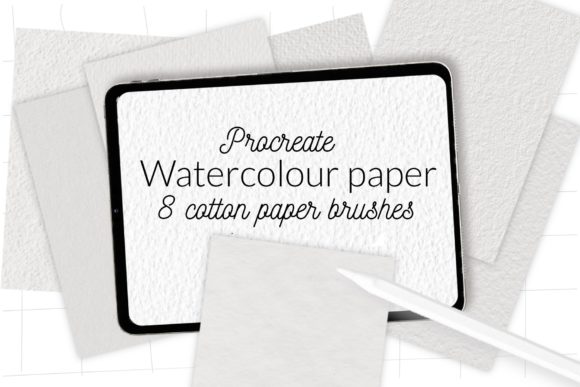
Authentic Procreate Watercolor Paper Brushes for Digital Art
Digital art often struggles with one specific hurdle: the sterile perfection of the screen. While tablets offer incredible precision, they can sometimes lack the organic grit and unpredictable texture that makes traditional media so compelling. This is where Procreate Watercolor Paper Brushes become an essential tool in your digital arsenal. By integrating high-fidelity textures directly into your stroke engine, these brushes bridge the gap between the tactile feel of cotton paper and the convenience of digital workflow. Whether you are a professional illustrator, a hobbyist exploring new mediums, or a content creator looking to elevate your visual storytelling, understanding how to leverage texture can transform flat images into immersive experiences.
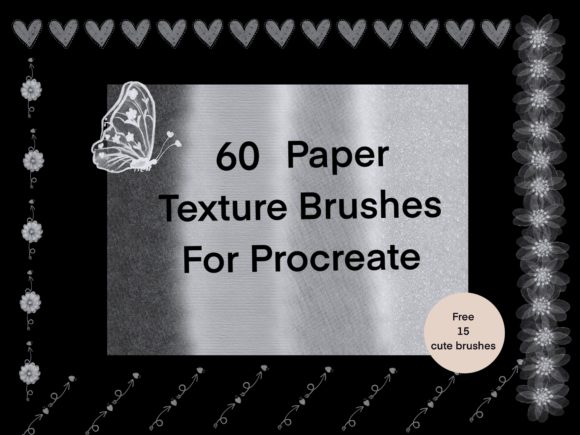
The core value of this specific brush set lies in its inclusion of 8 texture cotton paper brushes contained within a single, streamlined brushset file. Unlike generic overlays that sit on top of your artwork, these brushes embed the texture into the paint application itself. This means every stroke you make interacts with the virtual grain of the paper, creating natural variations in opacity and saturation that mimic real watercolor behavior. For artists who spend hours trying to manually add noise or grain filters in post-production, this approach saves significant time while delivering a more authentic result.
Enhancing Realism Through Integrated Texture
When working with digital watercolors, the biggest challenge is often replicating the way pigment pools and settles on rough surfaces. Standard digital brushes tend to lay down color too evenly, resulting in a "plastic" look that breaks immersion. The Procreate Watercolor Paper Brushes included in this collection address this by simulating the tooth of cotton paper. Cotton paper is prized by traditional watercolorists for its durability and ability to hold multiple washes without pilling; digitally recreating this surface allows you to build up layers of color with confidence.
Consider the workflow of a botanical illustrator or a fashion designer sketching concepts. These professionals need their work to convey a sense of hand-crafted elegance. By using these texture-specific brushes, the final output retains the warmth and irregularity of a physical painting. This is particularly useful for clients who request a "traditional media" aesthetic but require the fast turnaround and easy editability of digital files. The texture does the heavy lifting, allowing you to focus on composition and color theory rather than fighting against the smoothness of the glass screen.
Streamlining Your Creative Workflow
Efficiency is critical for freelancers and small business owners who manage tight deadlines. One of the most practical benefits of using a dedicated brushset like this is the consolidation of tools. Instead of toggling between different layers, blending modes, and external texture images, everything you need is accessible from the brush library. The set includes 8 distinct cotton paper variations, giving you enough diversity to handle different stages of a painting—from rough underpainting to fine detailing—without leaving the Procreate interface.
This integration supports a non-destructive workflow. Because the texture is part of the brush dynamics, you can adjust the size, opacity, and flow of the brush at any point without losing the underlying paper effect. If a client requests a change in the mood of a piece, you can quickly swap to a different brush within the set that offers a coarser or finer grain, instantly altering the atmosphere of the artwork. This flexibility empowers marketers and bloggers to produce varied visual content rapidly, ensuring their social media graphics or editorial illustrations stand out in crowded feeds.
Technical Compatibility and Installation
Before diving into creation, it is vital to ensure your software environment supports these advanced tools. This product is delivered as a .brushset file, which is the modern standard for organizing Procreate tools. However, compatibility depends on your device and software version. Please note that for Procreate version 4.0 or earlier, this brushset format is not available. Users with older iPads or outdated software will need to update their applications to unlock the full functionality of these textured brushes.
Installing these tools is straightforward, but the method varies slightly depending on your setup. For most users with current versions of Procreate, the process is seamless. However, if you are operating on an older iPad or running Procreate version 4.0 or earlier, you must use the manual import method involving individual .brush files. Below are the specific steps to get your Procreate Watercolor Paper Brushes up and running.
Installation for Older Versions (Procreate 4.0 or Earlier)
If your device requires the legacy installation method, follow this precise sequence to ensure the brushes import correctly:
- Download the folder containing the
.brushfiles directly to a location on your iPad, such as the Files app. - Navigate to the folder and locate the individual
.brushfiles. - Tap and hold on a file using your finger or Apple Pencil to bring up the context menu.
- Select "Share" from the list of options.
- Scan the share sheet for "Open in Procreate." If you do not see it immediately, scroll to the right and tap "More".
- In the extended menu, find and enable "Open in Procreate," then select it.
- Once imported, open your project in Procreate and tap the brush icon at the top right corner to access your new tools.
Standard Installation for Current Versions
For users with updated software, the process is even more efficient, allowing you to install the entire collection at once:
- Open Procreate and navigate to the Brush Library.
- Click to create a new collection or select an existing one where you wish to store the tools.
- Tap the + symbol or choose Import.
- Locate the downloaded folder containing the brushset file.
- Select the file, and the entire set of 8 cotton paper brushes will automatically populate your library.
Maximizing Value for Diverse Creators
Who benefits most from this specific type of tool? Educators teaching digital art will find these brushes invaluable for demonstrating traditional techniques in a classroom setting. The realistic response of the brush helps students understand concepts like dry brushing and wet-on-wet without the mess of physical supplies. Similarly, publishers and authors creating cover art or interior illustrations can achieve a literary, hand-made feel that resonates with readers accustomed to print media.
It is important to manage expectations regarding the deliverables. This is a digital type instant download; there is no physical print included. Furthermore, while the brushes are designed to create stunning results, please note that mockups and photos are not included in the package. The value here is purely in the software tools themselves. You are receiving the engine to create the art, not pre-made assets. This distinction is crucial for entrepreneurs who need to understand that these brushes are a means to an end, requiring your own creative input to generate final products.
In conclusion, integrating Procreate Watercolor Paper Brushes into your workflow offers a pragmatic solution to the "digital look" problem. By providing 8 specialized cotton paper textures in a single file, this set simplifies the texturing process while enhancing the emotional impact of your artwork. Whether you are updating an old device or optimizing a modern studio setup, these tools provide the foundational realism needed to produce professional-grade digital paintings that feel as tangible as they look.